Trailers
Couple and uncouple a trailer, tighten cargo straps and read the trailer info panel.
Draft copyCouple a trailer
Reverse under the trailer until it locks.
Get out of the cab and connect the trailer lines.
Use Interact at the TRAILER CABLES prompt. This hooks up the air lines and the electrical cable.
Interact:Keyboard and mouseLeft Mouse Button or EXbox controllerARaise the landing gear fully before you drive off.
Use Interact at the LANDING LEGS or Support prompt, depending on the trailer.
Interact:Keyboard and mouseLeft Mouse Button or EXbox controllerA
Default keys from the PC presets
Scroll horizontally to see all columns.
| Action | Keyboard and mouse | Xbox controller |
|---|---|---|
| Interact | Left Mouse Button or E | A |
If you drive off too early, the game warns you:
- Connect the trailer cables before moving.
- Raise the trailer supports before moving.
If you leave the cab before the trailer is coupled, the objective changes to Return to the truck.
Uncouple a trailer
Park the trailer in the marked bay at the delivery depot.
The parking area turns green when the trailer is correctly positioned.
Get out of the cab and disconnect the trailer lines.
Use Interact at the TRAILER CABLES prompt. This unhooks the air lines and the electrical cable.
Interact:Keyboard and mouseLeft Mouse Button or EXbox controllerALower the landing gear fully.
Use Interact at the LANDING LEGS or Support prompt.
Interact:Keyboard and mouseLeft Mouse Button or EXbox controllerARelease the fifth-wheel lock.
Hold Interact at the Disconnect trailer prompt.
Interact:Keyboard and mouseLeft Mouse Button or EXbox controllerA
If you release the lock before you disconnect the lines, the game shows:
- The trailer cannot be detached as the cables have not been disconnected.
Trailer info
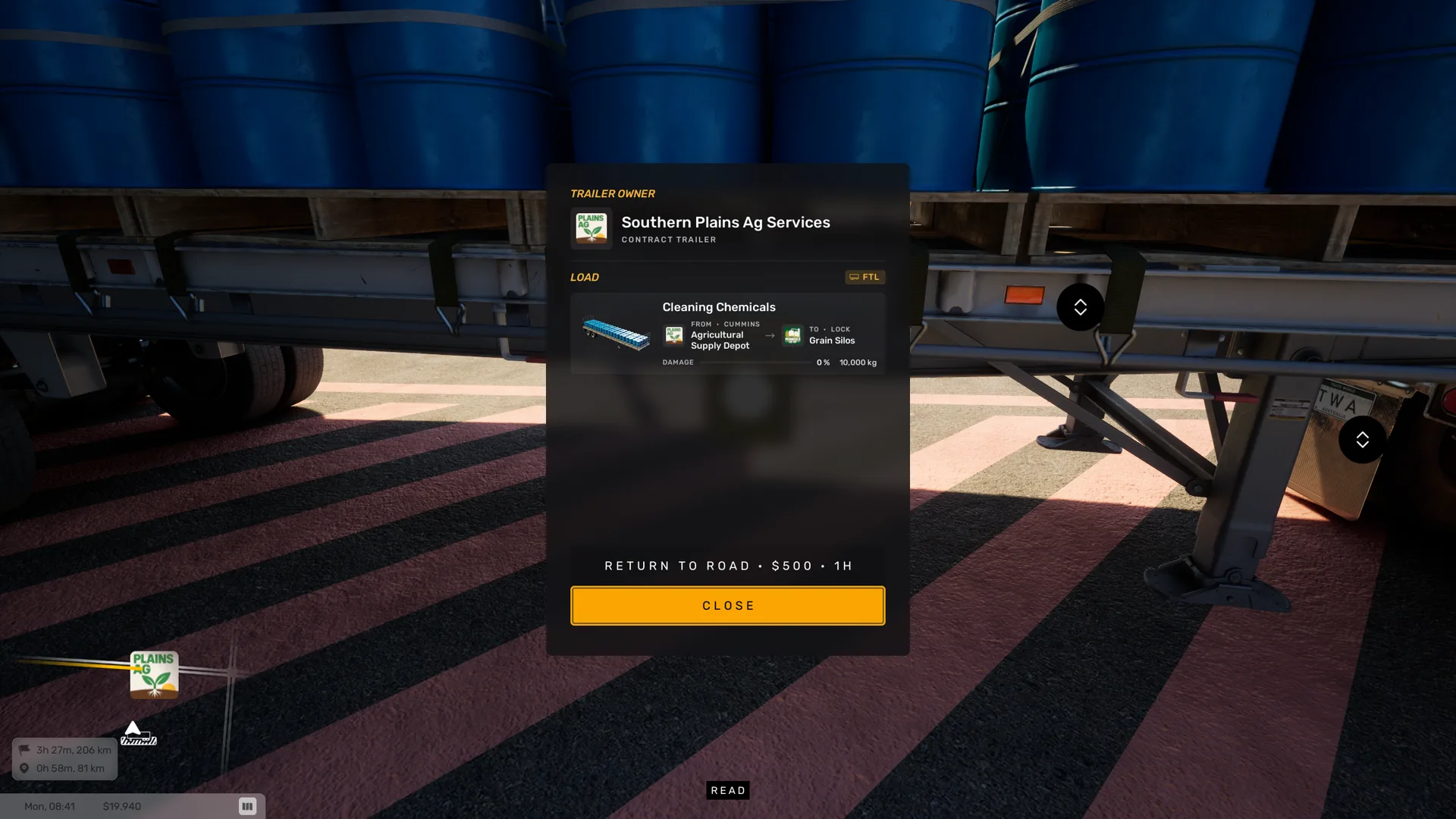
Use the Read prompt at a trailer. The trailer info panel shows the TRAILER OWNER and the LOAD.
- The owner is Your own trailer, Contract trailer or Unknown company.
- The load line counts the cargo items and shows their mass against the trailer's maximum in tonnes. An empty trailer shows No cargo on this trailer.
- Each cargo item lists its name, where it comes from and where it goes, its mass and Damage.
Trailer icons are marked FTL or PTL. The waybill at the loading bay can show Full truckload. The game does not explain the two labels yet.
Tighten cargo straps
Straps hold cargo down on the trailer. Each strap has a ratchet. A loose strap is highlighted red.
Walk up to the ratchet of a loose strap.
The prompt reads Tighten strap.
Hold Interact until the strap is tight.
The ratchet handle pumps and the strap pulls tight. If you let go too early, the strap goes slack again.
Interact:Keyboard and mouseLeft Mouse Button or EXbox controllerA
Default keys from the PC presets
Scroll horizontally to see all columns.
| Action | Keyboard and mouse | Xbox controller |
|---|---|---|
| Interact | Left Mouse Button or E | A |
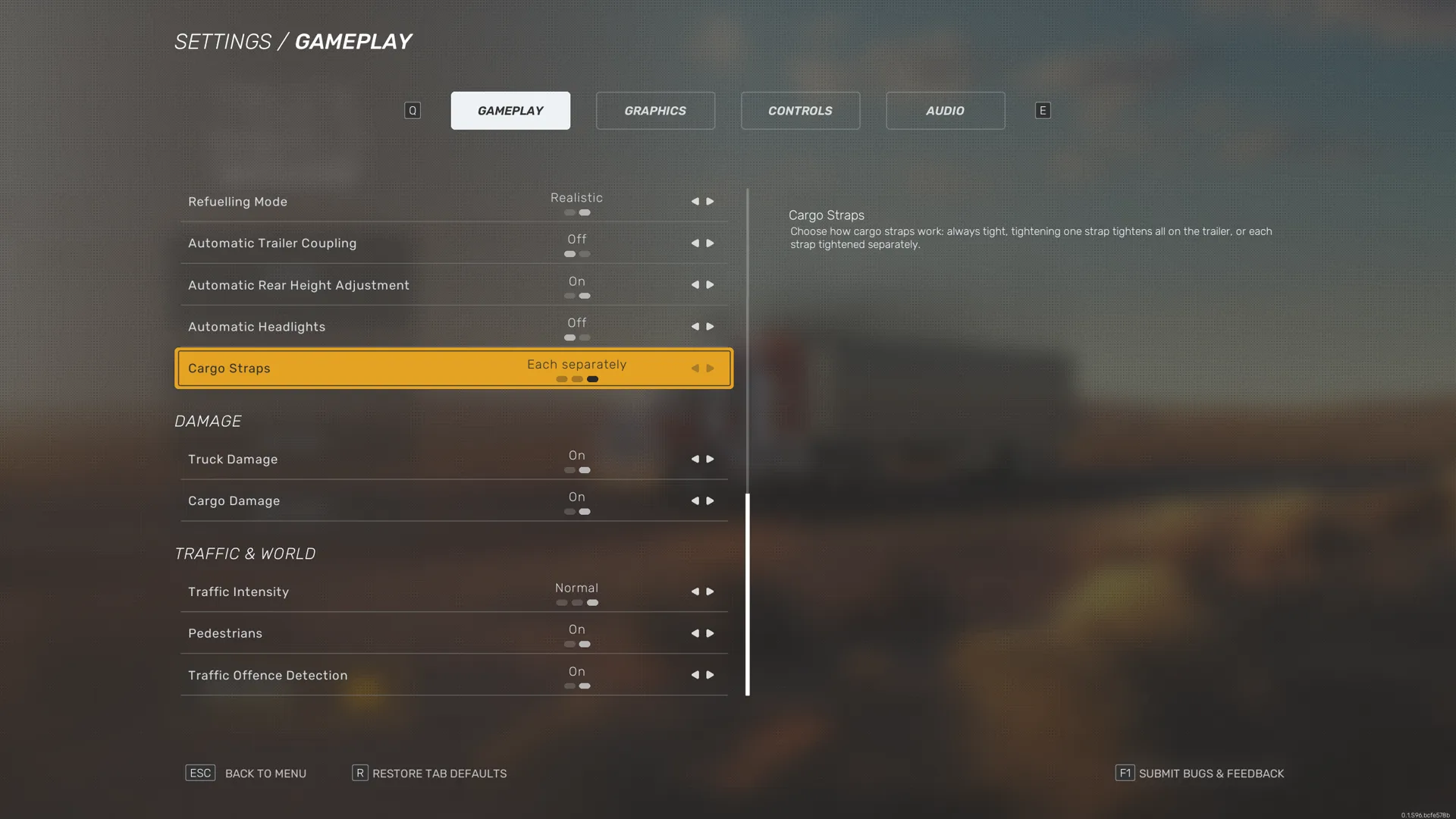
Settings › Gameplay › Cargo Straps sets how many straps you tighten:
- Always tight makes every strap tight from the start. There is nothing to do.
- One tightens all pulls every strap on the trailer tight when you tighten one.
- Each separately makes you tighten each strap on its own. This is the default.
Trailer settings
These options are in Settings › Gameplay.
- Automatic Trailer Coupling turns automatic trailer coupling on or off. The game does not describe what it changes yet.
- Automatic Rear Height Adjustment turns on or off the automatic rear height adjustment that matches different trailer heights.
- Cargo Straps sets how straps work: Always tight, One tightens all or Each separately. See Tighten cargo straps.
Trailers is one of the marker types on the Navigation map. See Map and minimap markers.