Your company
Grow your company through story jobs, build up your base, read your email and keep track of money.
Draft copyStory Jobs
Story jobs build up your own company. Open the JOBS tab of the Management screen. Story Jobs is the first group in the list on the left, above Active Jobs and Available Jobs.
Select a story job to see its title, a short description and its tasks. Each task has a navigate button that sets your route for that task.
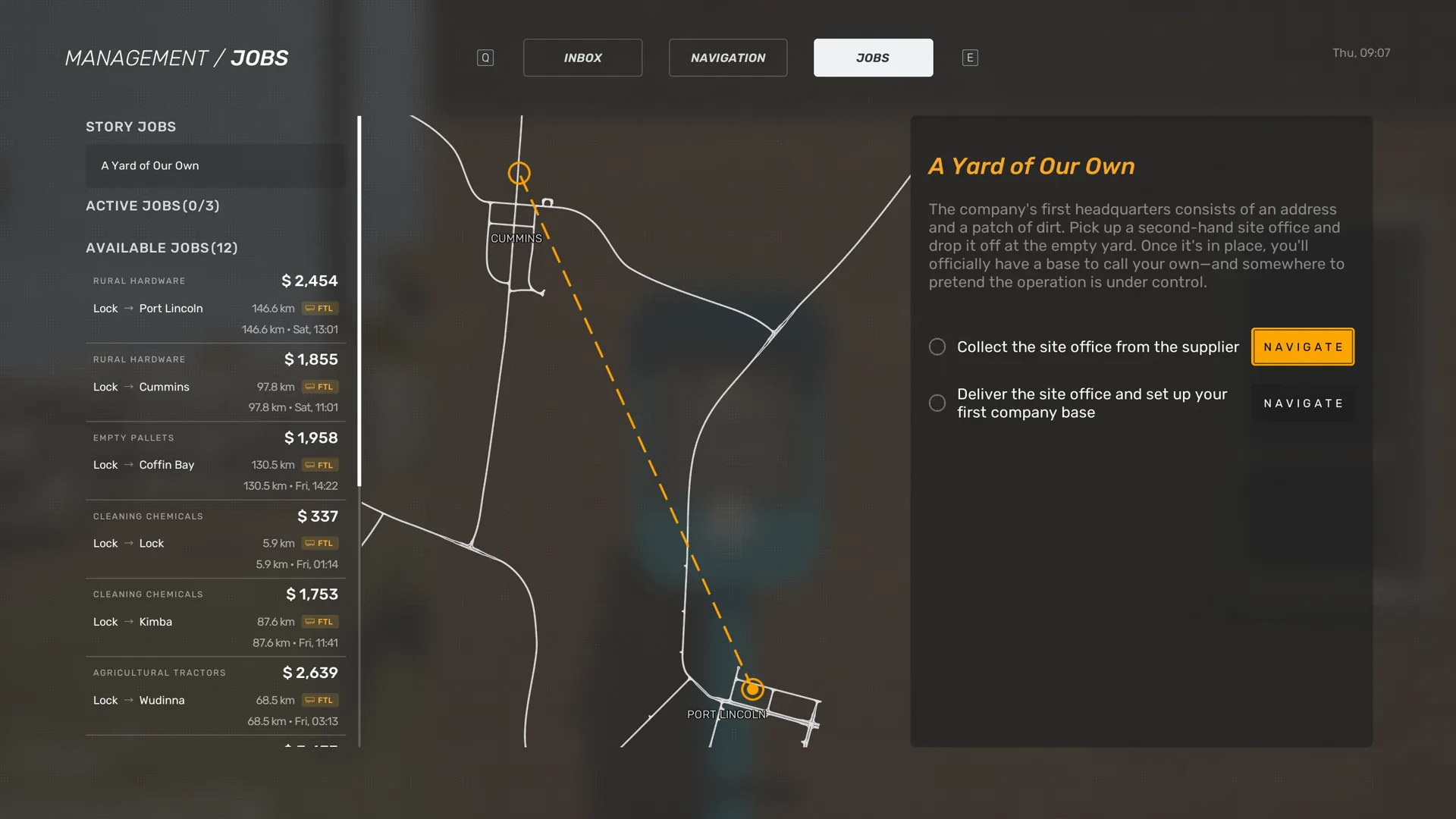
After your first delivery, Base mentions a job outside the usual job board and says you will get an email when it is ready.
A Yard of Our Own starts your first base. The company has an address and an empty yard, and Base has found a second-hand site office that is already on a trailer. The run carries no freight and no pay.
Collect the site office from the supplier
Deliver the site office and set up your first company base
Only the trailer with the site office counts at the yard. With another trailer, the game says Correct trailer required for delivery here.
Drive into the marker at the yard entrance. A crane lifts the site office off the trailer. No parking bay marking appears here, unlike at a delivery depot.
Word Gets Around gets the company its first trailer of its own. A farmer gives you an old flat-top, but the yard has nowhere to keep it, so you get a shed built first.
Use the office computer to arrange for a trailer shed to be built.
The office computer is the base screen. See Your base and office.
Collect the flat-top trailer from the farm.
Base tells you on the radio when the shed is finished. It has room for one trailer.
Your base and office
Your base is the yard you set up in A Yard of Our Own. Walk up to the office and use the Office prompt to open the base screen. It is the office computer that Word Gets Around asks you to use.
Default keys from the PC presets
Scroll horizontally to see all columns.
| Action | Keyboard and mouse | Xbox controller |
|---|---|---|
| Interact | Left Mouse Button or E | A |
The base screen shows the day and time, and your money under WALLET. Its menu has buildings, services and licenses.
Select a building to read its description and its PRICE, then build it. A building you already have shows BUILT.
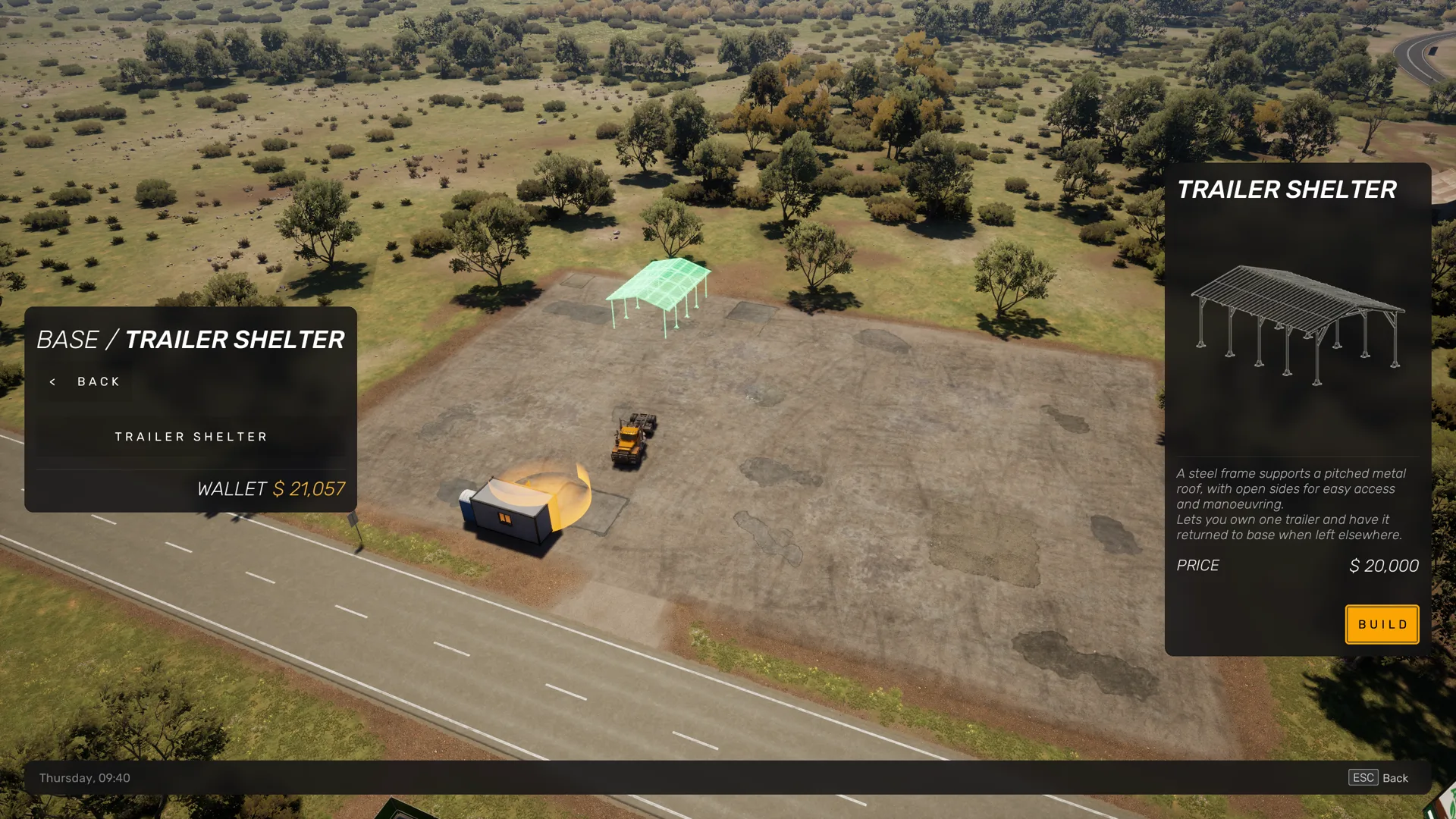
Buildings lists fences, a trailer shelter, a truck garage and facilities. You cannot select the truck garage or facilities yet.
The game describes the buildings you can build:
- The trailer shelter is a steel frame with a metal roof and open sides. It lets you own one trailer and have it returned to base when you leave it elsewhere.
- A fence of wire mesh on timber posts closes off the yard. It lowers insurance costs and the risk of theft.
- A fence of wire mesh on steel posts and rails is more rigid. It lowers insurance costs and the risk of theft further.
If something stands on the building site, the game says the site is blocked and asks you to remove the obstacle.
Services and licenses are empty for now. The screen says Services are not available yet. and Licenses are not available yet. Select Back to close the screen.
You can rest in the office for free. Rest opens the same rest screen as at a hotel. See Truck condition and rest.
Base is one of the marker types on the Navigation map. Before you have a base, Return to base on the CB radio says You don't have a base to return to. See Calls to Base.
Inbox
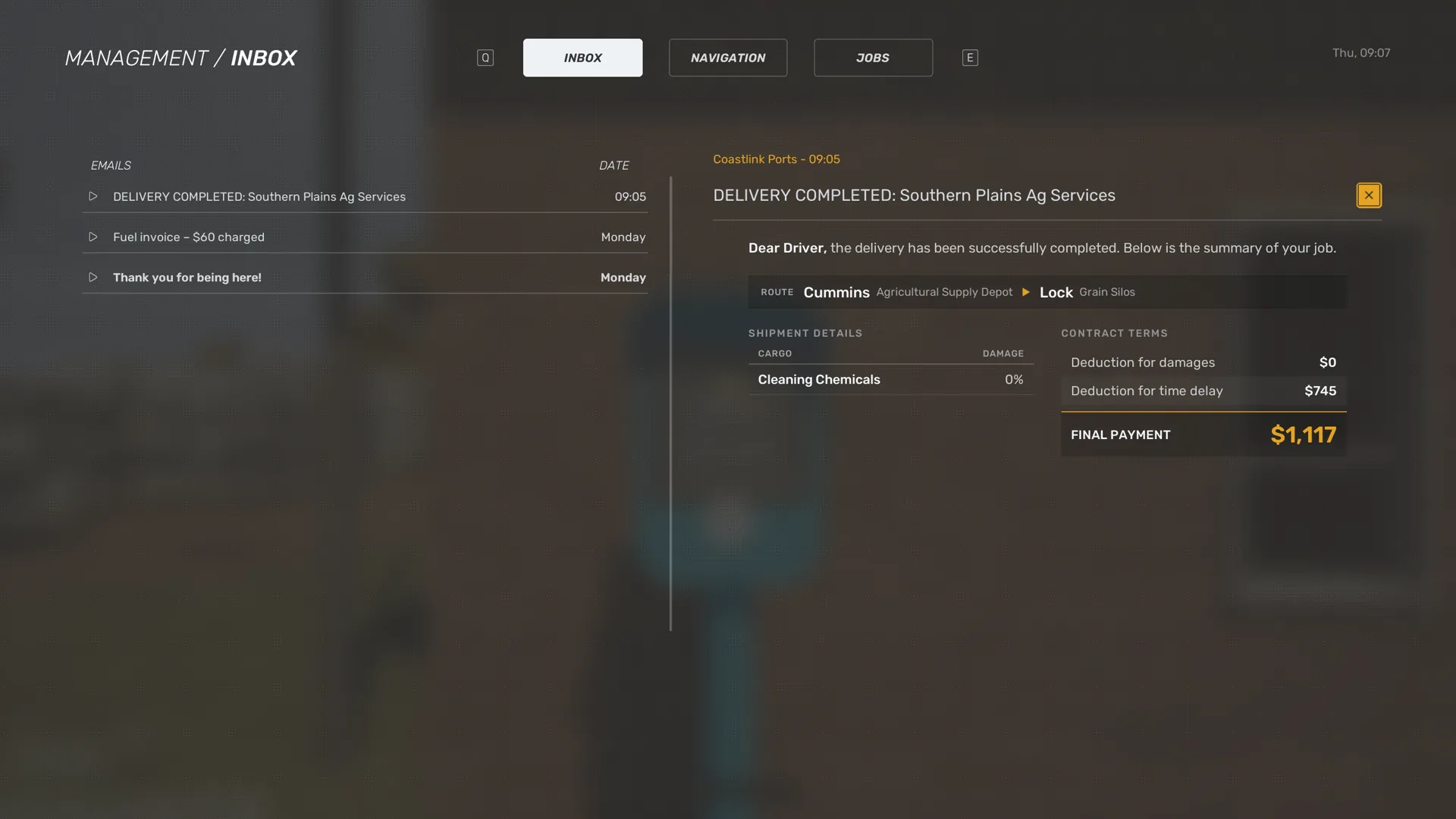
Your email is on the INBOX tab of the Management screen. The list has the columns EMAILS and DATE. An open email shows who sent it and when.
The Mail control opens your mail.
Default keys from the PC presets
Scroll horizontally to see all columns.
| Action | Keyboard and mouse | Xbox controller |
|---|---|---|
| N | Not bound |
When you complete a delivery, you get an email with a summary of the job. It lists the route, the shipment, and each cargo item with its damage.
Under the contract terms, the summary shows what was deducted for damages and for a late delivery, and your final payment.
After a fuel stop, you get the fuel invoice by email. Its subject shows the amount charged. It lists the date, the fuel type, the litres pumped, the price per litre and the total cost. It also says the payment came from your company account.
Base also promises an email about a job outside the usual job board. See Story jobs.
Money
Your company earns money from jobs. It spends money on fuel, help on the road, rest, the workshop and the base. The base screen and the workshop show how much you have under WALLET.
A job offer shows its PAYOUT and its RATE per kilometre. While you drive, the HUD shows Job income. See Job details.
After a delivery, the summary email shows your final payment after deductions for damages and for a late delivery. See Inbox.
When your first delivery is done, Base says the first payment has landed in the account. Not every story job pays. Base calls the site office run in A Yard of Our Own a run with no pay.
What costs money:
- Fuel. You pay for the fuel you pump, from your company account. If you try to leave the station without paying, the game says Please settle your payment before leaving the station. See Pay for fuel.
- Roadside assistance. Each option costs time and money, from $300 for Refuel to $1,500 for Restore and repair. See Roadside assistance.
- Rest. The rest screen shows the price under COST. It reads FREE, no charge or a price per stay. Rest in the office at your base is free. See Truck condition and rest.
- Workshop. Repairs and services have a price for each item. See Workshop.
- Base buildings. Each has a PRICE on the base screen.
The game does not describe yet what happens when you run out of money.